




Are you an agent assisting a private or public veterinarian looking to purchase forage seeds from the Rwanda Agriculture and Animal Resources Development Board (RAB)?
Here's everything you need to know as an agent about applying for the Purchase of Forage Seeds.
What does this service entail?
This service enables private and public veterinarians to purchase forage seeds from the Rwanda Agriculture and Animal Resources Development Board (RAB).
This service is provided by the Rwanda Agriculture and Animal Resources Development Board (RAB).
Who is eligible for this service?
This service is available to private and public veterinarians seeking to purchase forage seeds.
What you need before you start applying
Here is all you need:
Applicants with or without an Irembo account can apply for this service.
Click here to learn how you can create your account.
Applicants must have a national ID or a valid passport.
Applicants should have a phone number and/or email address.
Here is a step-by-step guide on how you can process the Purchase of Forage seeds on behalf of an applicant.
D.What to expect after submitting your application
Your application will be processed by RAB, and you will receive an SMS and/or email notification regarding your application status.
Once the RAB logistics officer reviews and approves your application, you will receive a notification with your Bill ID.
Use the Bill ID to pay for the service through the available payment modes.
After payment, you will receive a confirmation via SMS and/or email, along with instructions on where to collect your forage seeds
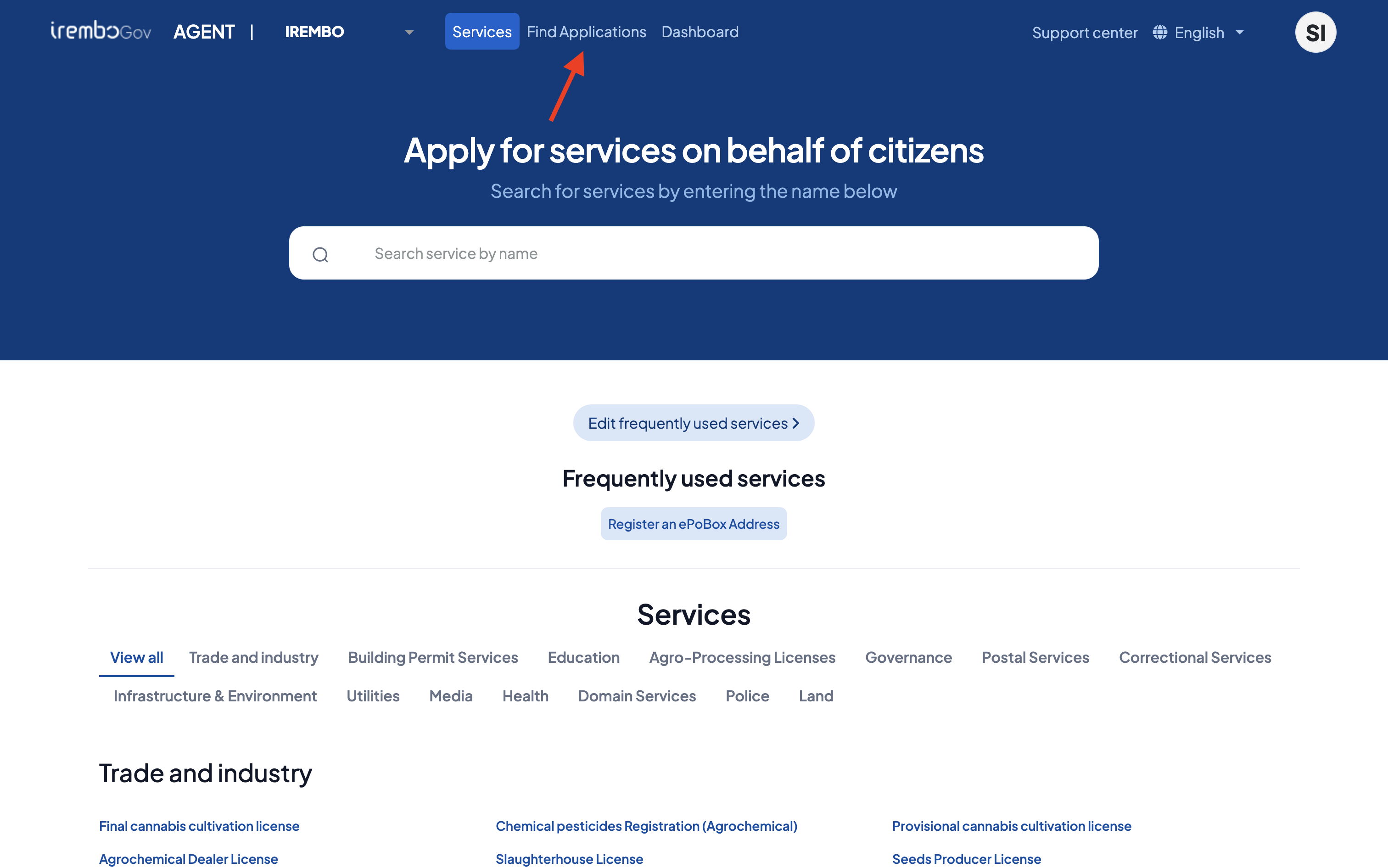
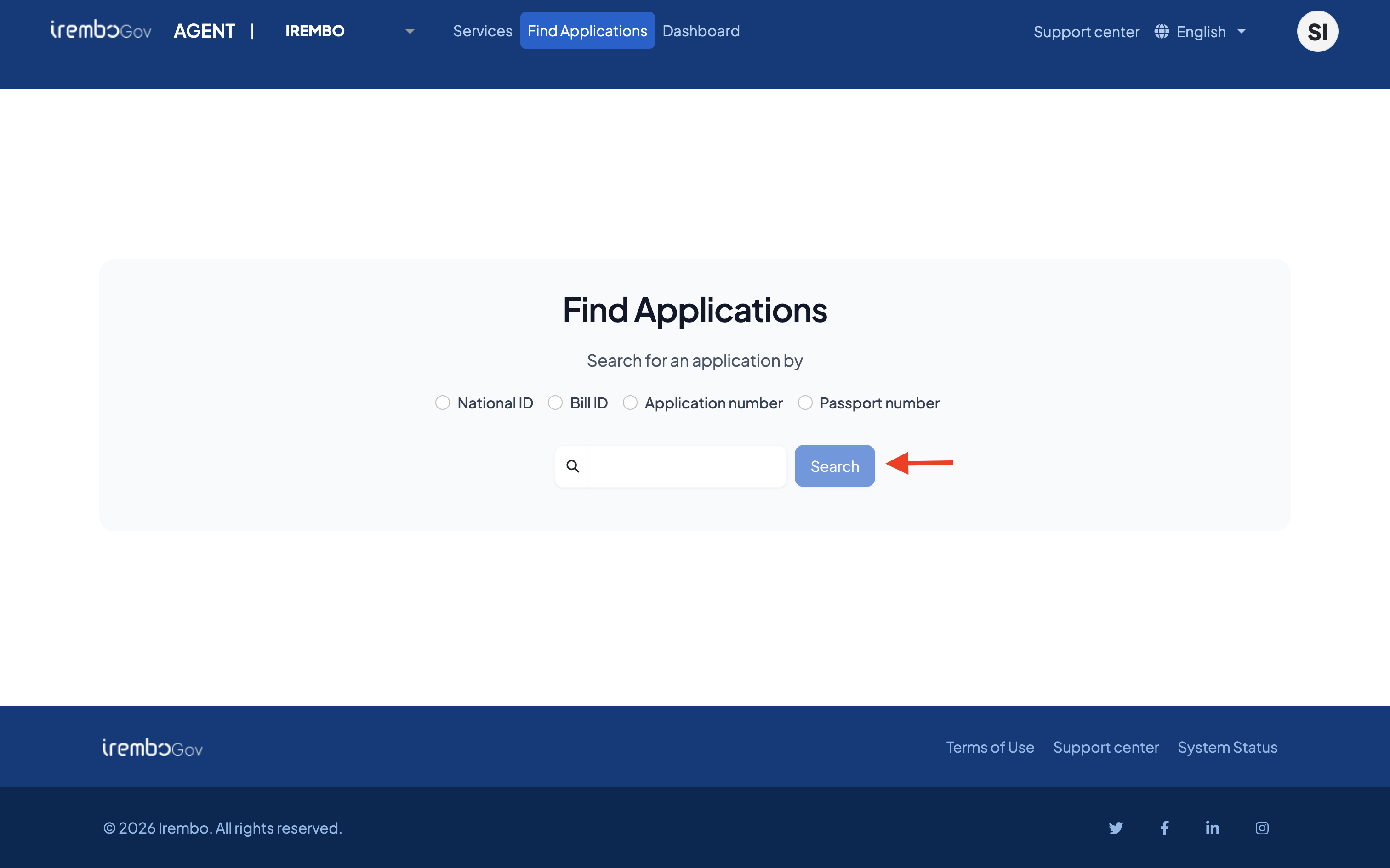
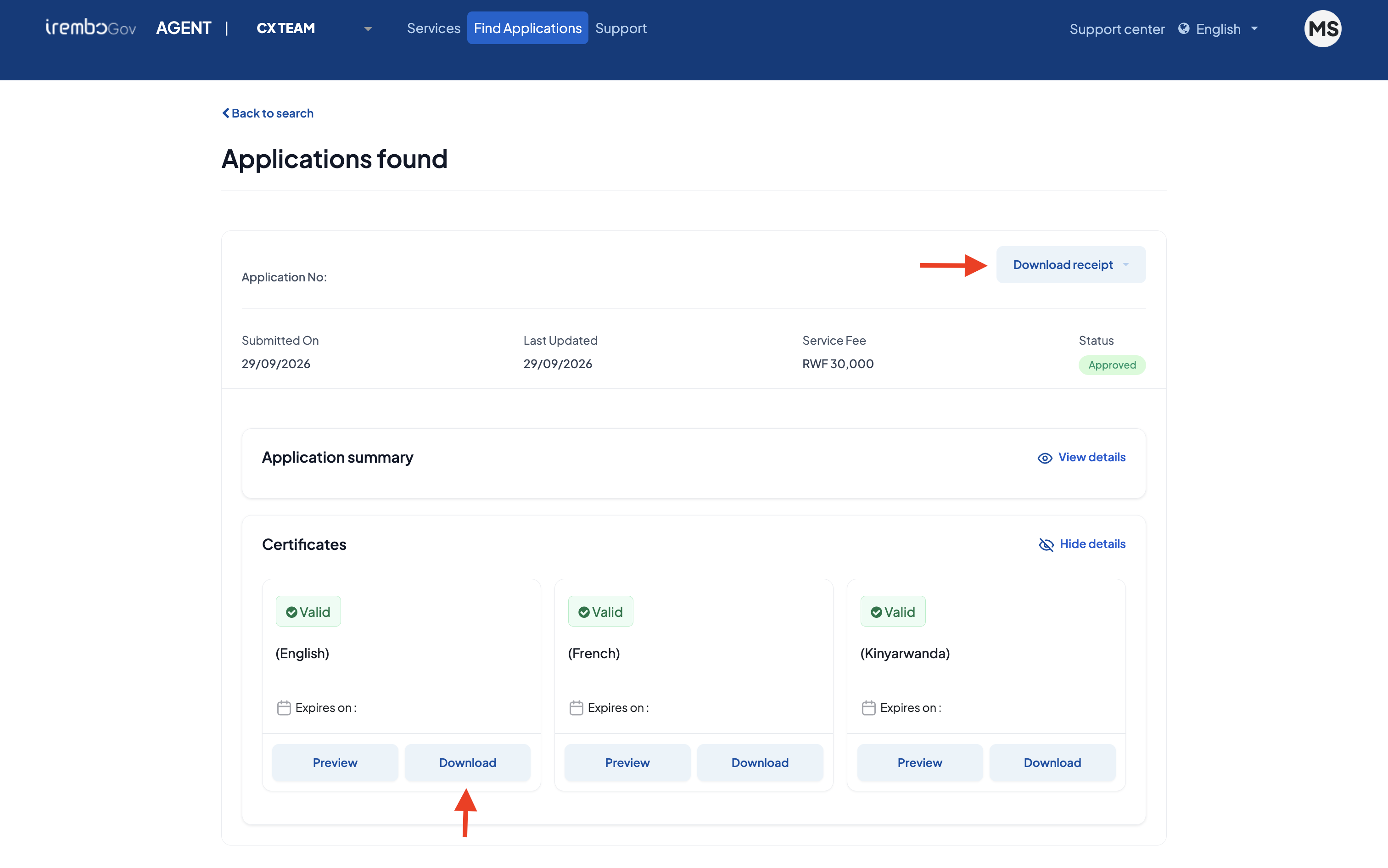
You can also download the receipt in this case following the steps below:
Ready to apply? Click here and submit your application instantly.
Was this article helpful?
That’s Great!
Thank you for your feedback
Sorry! We couldn't be helpful
Thank you for your feedback
Feedback sent
We appreciate your effort and will try to fix the article